

Key Takeaways
- Spatial computing is an umbrella term for technology that blends digital content with physical space.
- It depends on several sensors working together: cameras, depth sensors, accelerometers, and sometimes GPS.
- Augmented reality, mixed reality, and virtual reality are all subsets of spatial computing.
- Processing speed and sensor accuracy are the main technical limits holding current devices back.
- Practical uses already exist in medicine, manufacturing, and navigation, well before consumer headsets became mainstream.
Spatial computing
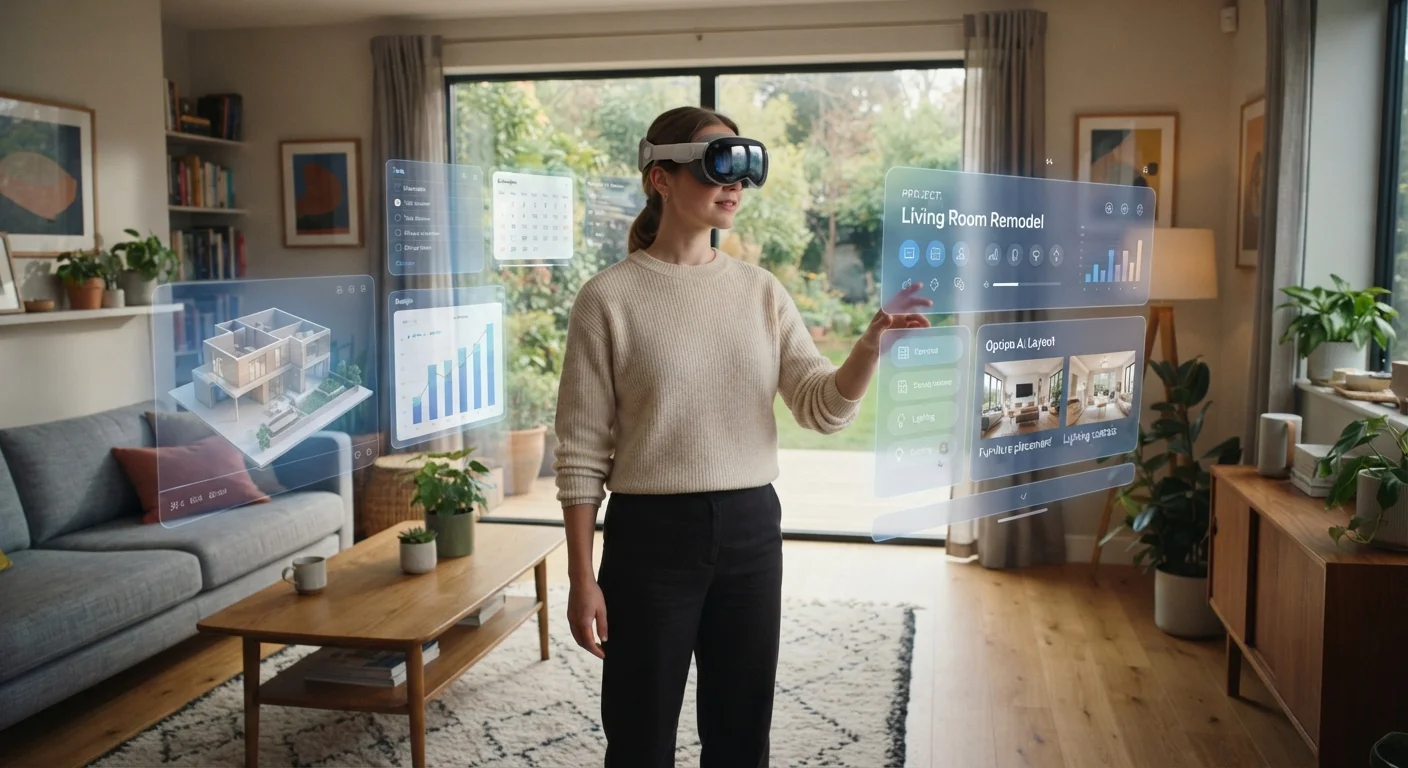
Spatial computing is technology that understands and responds to the physical space around you, letting digital content exist alongside real objects in three dimensions. Instead of looking at a flat screen, you interact with software that appears to occupy the room, your desk, or the world outside. The term covers a broad range of devices and software, from augmented reality glasses that add floating labels to things you see, to fully immersive virtual reality headsets that replace your view entirely.
At the hardware level, spatial computing relies on simultaneous localization and mapping (SLAM), which lets a device build a real-time 3D model of its surroundings using cameras and depth sensors.
What spatial computing actually means
Most computing happens on a flat surface: a phone screen, a laptop display, a monitor. You look at the screen; the screen does not look back at the room. Spatial computing breaks that model. The device senses the physical world around it, builds a working model of that space, and then places digital content inside that model so the two coexist.
The term was coined by researcher Simon Greenwold in a 2003 MIT thesis, where he described it as "machines that keep and manipulate referents to real objects and spaces." That definition still holds. A spatial computing device does not just display information; it knows where things are and adjusts what it shows based on your position and movements.
This matters for everyday devices because it changes what interacting with software feels like. Instead of tapping a grid of icons, you might reach out and manipulate a floating object, or look at a product and see its specifications appear beside it.
The sensors that make it work
Spatial computing is not a single technology. It is a combination of several sensors and software systems running together. Understanding what each component does helps clarify why the devices are complex and why they have current limits.
- Cameras: Multiple outward-facing cameras capture the environment continuously. Software analyzes these images to detect surfaces, edges, and objects.
- Depth sensors: These measure how far away surfaces are, often by projecting infrared light and timing its return. This is what lets a device distinguish a wall from a person standing in front of it.
- Inertial measurement units (IMUs): Accelerometers and gyroscopes track the device's movement and orientation many times per second, so the display can update fast enough that digital objects appear to stay fixed in space as you move your head.
- Inside-out tracking: Modern headsets compute their own position using onboard sensors rather than external cameras placed around the room, which makes the setup portable.
The software layer combines all this sensor data using SLAM. Think of SLAM as a mapmaker and a navigator working at the same time: it builds the map of the room and simultaneously figures out where on that map the device is. For a deeper look at how location sensing works at a signal level, see how GPS pinpoints your location.
Try spatial computing on a phone you already own
Most smartphones made after 2017 have the sensors needed for basic augmented reality. AR features in navigation apps, furniture retail apps, and camera apps that measure distances all run on standard phone hardware. You do not need a headset to get a working sense of what spatial computing feels like.
Augmented, mixed, and virtual reality: how they fit together
These three terms describe points on a spectrum rather than completely separate technologies.
Augmented reality (AR) keeps the real world fully visible and adds digital elements on top. A smartphone app that places a virtual chair in your living room so you can see how it fits is AR. So is a heads-up display in a car that projects speed and navigation onto the windshield.
Display quality matters a lot in AR because digital elements need to look sharp enough to read naturally against the real background.
Virtual reality (VR) replaces your entire visual field with a computer-generated environment. The physical room disappears. VR works well for training simulations, immersive entertainment, and any application where full environmental control is useful.
Mixed reality (MR) sits between the two. Digital objects not only appear in the real scene but also respond to physical surfaces. A virtual ball in MR can bounce off your actual floor; in basic AR it would pass through it. The distinction is whether the software understands and uses the geometry of the real environment.
Where spatial computing is used today
Consumer headsets get most of the press, but practical applications have existed in specialized fields for years.
In medicine, AR overlays let surgeons view imaging data during a procedure without stepping away from the patient. In manufacturing, workers wearing headsets receive step-by-step assembly instructions that appear directly on the component they are working on, reducing errors compared to reading a paper manual. Architectural firms use VR walkthroughs to let clients experience a building before construction begins.
On the consumer side, navigation apps that project directional arrows onto a live camera view of the street are a common example most people have already used. Furniture retailers offer AR features that show how a sofa looks in your actual room before you buy.
2003
Year the term 'spatial computing' was formally defined
Researcher Simon Greenwold introduced the term in his MIT master's thesis, describing machines that maintain referents to real objects and spaces.
200 degrees
Approximate human peripheral visual field
Most consumer spatial computing headsets currently display content across a significantly narrower angle, typically 45 to 110 degrees.
2-3 hours
Typical battery life for current consumer headsets
High processing demands from real-time sensor fusion and rendering limit runtime; external battery packs are common workarounds.
Processing demands remain the central technical constraint. Real-time SLAM, high-resolution rendering, and accurate sensor fusion all require significant computing power. Edge computing is one approach being explored to handle more of that processing on the device itself rather than routing it through a remote server, which would reduce latency.
What the current limits tell us
Battery life, heat, and hardware size are tightly linked. More sensors and faster processors consume more power, which generates heat, which requires cooling mass, which adds weight. Consumer headsets today often run for two to three hours on a charge, and some require external battery packs worn separately.
Field of view is another constraint. Human peripheral vision spans roughly 200 degrees, but most current headsets display digital content across a much narrower angle, typically 45 to 110 degrees depending on the device. Content that sits near the edge of that window disappears as you turn your head.
These are engineering problems, not fundamental barriers. Display optics, chip efficiency, and battery energy density all improve incrementally over time. Spatial computing's capabilities will expand as those components do, regardless of which specific devices or companies lead at any given moment. For a contrast in how a genuinely different computing architecture works, quantum computing takes a fundamentally different approach to processing information rather than evolving existing chip designs.