

Key Takeaways
- A maintenance log records every service, repair, and inspection in one place for easy reference.
- Logs can be paper-based, digital spreadsheets, or dedicated apps, depending on your preference.
- Consistent entries help you spot recurring problems and stay ahead of scheduled services.
- A complete service history adds credibility when selling a used vehicle.
- Even a simple notebook works well if entries are made promptly after each service.
What you will need
Why a maintenance log matters
Most drivers rely on memory or scattered receipts to track what has been done to their car and when. That approach tends to produce missed services, duplicate work, and no clear picture of how a vehicle has been cared for. A maintenance log solves all three problems.
For day-to-day ownership, a log keeps you on schedule. When you can see that the last oil change was at 47,200 miles and you are now at 49,800, the math is simple. It also makes patterns visible: if a particular component keeps needing attention, the log tells you that plainly rather than leaving you with a vague sense that something is always going wrong.
Service history also has real financial weight. When you sell a vehicle, a documented record of consistent upkeep is something a buyer can verify, which gives them confidence and can support a higher asking price. For more on managing the broader financial side of ownership, see how to keep car ownership costs manageable over the long run.
Keep the log with the vehicle
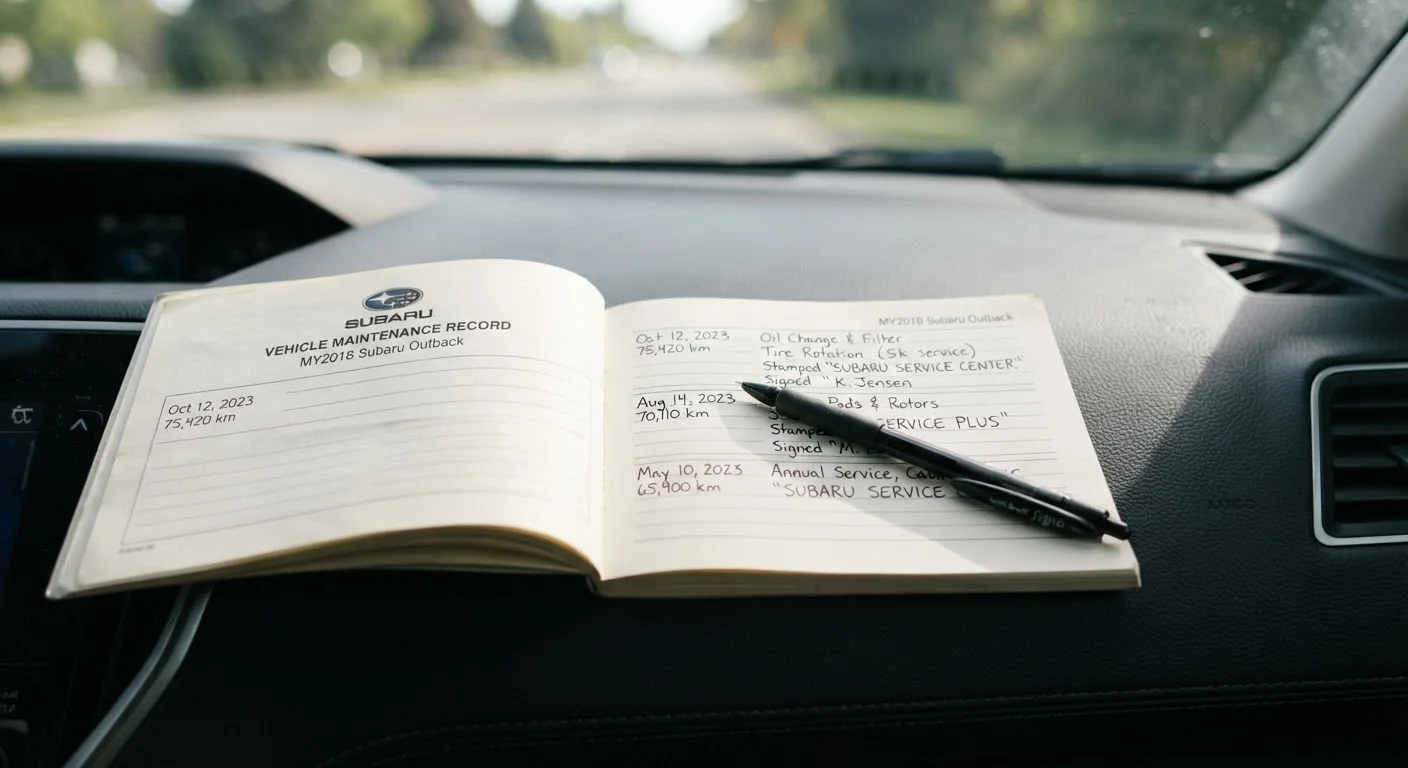
Store a paper log or a printed summary in the glove box so it travels with the car. If you use a digital format, consider keeping a condensed printed copy as a backup. This is especially useful if the vehicle is serviced by someone other than you, such as a family member or a shop.
What to record in each entry
A useful log entry covers five things: the date, the odometer reading at the time of service, the type of service performed, the cost (parts and labor separately if applicable), and where the work was done. If a part was replaced, note the part name and, where practical, the part number or specification used.
For warranty purposes or future diagnostics, the name of the shop or technician is worth including. If you performed the work yourself, note that too. DIY maintenance tasks accessible to everyday drivers can be logged just as methodically as shop visits.
Also record anything the mechanic flagged as needing attention in the future. These advisory notes are easy to forget between visits but are genuinely useful when the next appointment comes around.
Choosing a format that you will actually use
The best format is the one you will maintain consistently. Three practical options exist.
Paper logbook: A small notebook kept in the glove box is the simplest approach. It requires no technology and is always with the vehicle. The downside is that it can be lost if the car is sold or stolen.
Spreadsheet: A spreadsheet stored in cloud storage (any major provider works) is easy to search, sort by date or mileage, and share with a mechanic or prospective buyer. It takes a few minutes to set up with the right column headers.
Dedicated app: Several vehicle-tracking apps let you log services by category, set reminders at mileage or time intervals, and store receipts as photos. These combine the portability of a phone with automatic backup. Look for one that exports data, so you are not locked in if the app is discontinued.
Whichever format you choose, back up the data. A paper log can be photographed; a spreadsheet should be in cloud storage with version history enabled.
Step-by-step: setting up and maintaining your log
Follow these steps to get a log running and keep it accurate over time.
Gather your existing records
Before starting a new log, collect any receipts, dealer invoices, or inspection reports you already have. Enter each one as a historical entry using the date and mileage shown on the document. This gives your log a baseline rather than starting cold.
Record the vehicle's current state
Note the current odometer reading, the date, and any services you know are due soon. If you are unsure of the last service date for a particular item, check the owner's manual for the recommended interval and use the current mileage as your starting point for scheduling the next one.
Set up your chosen format
Create the structure for your log: columns in a spreadsheet (Date, Mileage, Service Type, Cost, Location, Notes), pages in a notebook divided by the same categories, or an initial profile in an app. Include a field for future advisory items flagged by the mechanic.
Log each service promptly
Make a new entry within 24 hours of any service, repair, or inspection. Waiting longer increases the chance of forgetting a detail. If work was done at a shop, use the invoice as your source. For DIY tasks, note the product specifications (such as oil viscosity or filter part number) used.
Review the log at each service interval
Before each scheduled service, scan the recent entries. Bring any flagged advisory items to the mechanic's attention and confirm that nothing due has been overlooked. After the service, update the log with what was done, the cost, and any new advisories noted.
For a clear reference on which services belong in your log and how often they are generally needed, see routine maintenance every car owner should understand.
Using your log to make ownership decisions
A log becomes a decision-making tool once it has a year or two of entries. If repair costs in a single year start approaching a significant fraction of the vehicle's value, the log gives you the concrete numbers to weigh that honestly. That analysis is central to the question of whether to keep an older vehicle or move on.
Patterns in the log can also help a mechanic diagnose intermittent problems faster. Instead of describing a noise from memory, you can show exactly when it was first noted, what was done at the time, and whether it recurred. That context shortens diagnostic time and reduces guesswork.
The log does not need to be elaborate. Consistent, prompt entries after each service are what make it genuinely useful across the life of the vehicle.