

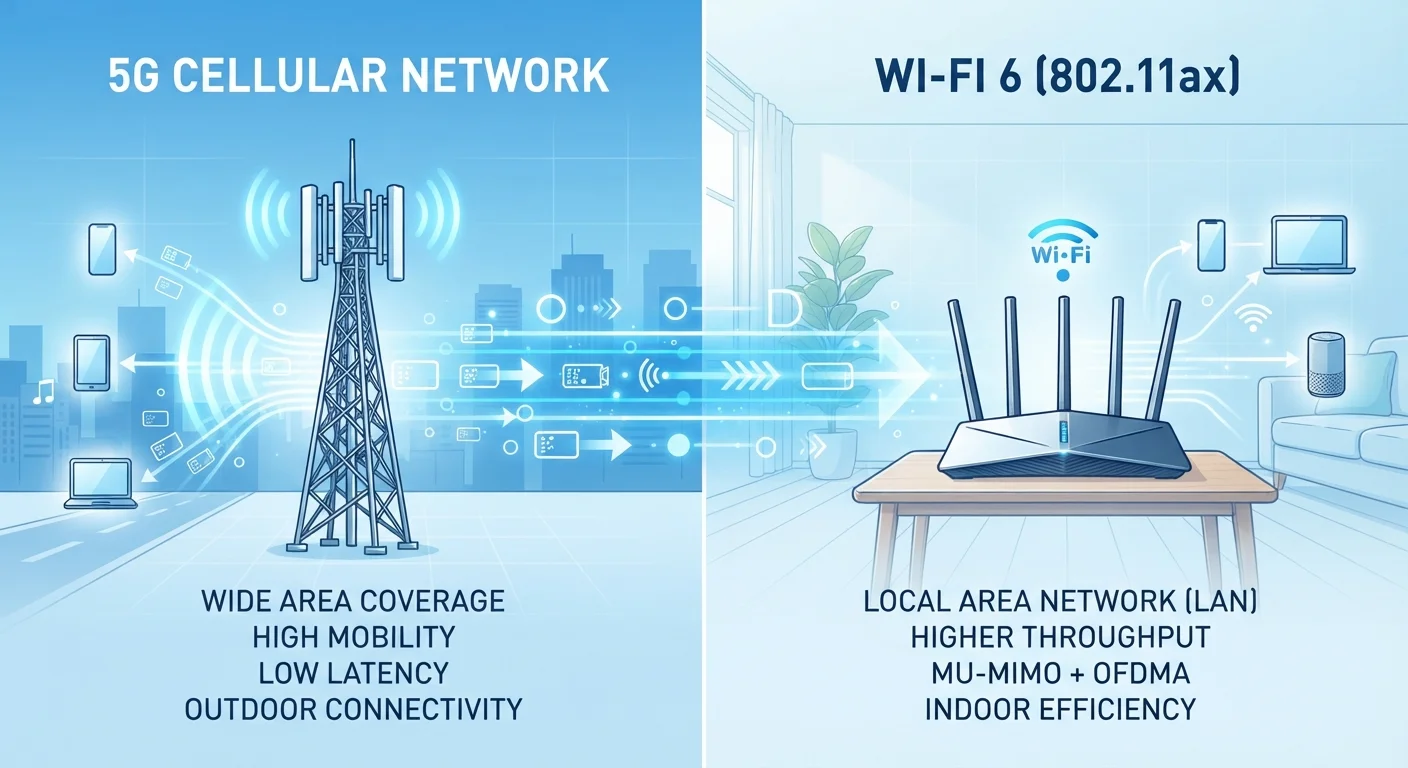
Key Takeaways
- 5G is a cellular standard designed for mobile devices on the go, while Wi-Fi 6 is built for local wireless networks inside buildings.
- Wi-Fi 6 generally delivers faster speeds and lower latency in dense indoor environments like homes and offices.
- 5G coverage depends entirely on carrier infrastructure, while Wi-Fi 6 requires a compatible router you control.
- Most people will use both standards regularly because they solve different connectivity problems.
- Wi-Fi 6 requires no ongoing subscription; 5G access is tied to a mobile data plan.
Our Verdict
5G and Wi-Fi 6 are not competing standards so much as complementary ones. Wi-Fi 6 handles high-demand indoor connections better, while 5G provides mobility that no home router can match. Choosing between them depends on where and how you connect most.
| Best for | Recommended |
|---|---|
| Home and office users who need fast, reliable indoor connectivity for many devices | Wi-Fi 6 |
| Mobile users who need consistent connections while traveling or in areas without Wi-Fi | 5G |
| Remote workers and commuters who switch between locations frequently | 5G |
| Households with smart home devices, streaming, and gaming all running simultaneously | Wi-Fi 6 |
What each standard actually does
5G is the fifth generation of cellular network technology. It runs on frequencies managed by mobile carriers and lets smartphones, tablets, and compatible laptops connect to the internet anywhere a carrier has installed 5G equipment. You pay for this access through a mobile data plan, and the signal travels from a cell tower to your device over licensed radio spectrum.
Wi-Fi 6, also called 802.11ax, is a local wireless networking standard. A Wi-Fi 6 router in your home or office broadcasts a signal that nearby devices connect to, and that router then connects to the internet through your broadband subscription. The radio range is roughly 30 to 100 feet indoors, depending on walls and interference. For a deeper look at how routers manage that traffic, see how routers slow down and what happens inside them.
The core difference: 5G is about connecting while mobile across wide geographic areas. Wi-Fi 6 is about connecting many devices efficiently within a small, fixed space.
Speed and latency compared
Both standards claim impressive theoretical peak speeds. 5G can reach up to 10 Gbps under ideal conditions using high-frequency millimeter wave (mmWave) spectrum, though most users on mid-band 5G see speeds in the 100-900 Mbps range. Wi-Fi 6 has a theoretical maximum of around 9.6 Gbps shared across connected devices, with real-world speeds typically between 500 Mbps and 1.5 Gbps on a well-configured network.
Latency, the time it takes for a data packet to travel from your device to a server and back, matters for gaming, video calls, and real-time applications. Wi-Fi 6 latency in a well-managed network can drop below 10 milliseconds. 5G sub-6 GHz networks typically sit between 20-30 milliseconds, though the standard's specification targets around 1 millisecond in controlled deployments. In practice, neither consistently hits its theoretical floor.
| 5G | Wi-Fi 6 | |
|---|---|---|
| Primary use case | Mobile connectivity on the go | Indoor local network access |
| Typical real-world speed | 100-900 Mbps (mid-band) | 500 Mbps-1.5 Gbps |
| Typical latency | 20-30 ms (sub-6 GHz) | Under 10 ms |
| Coverage area | Carrier-dependent, wide area | 30-100 feet indoors |
| Ongoing cost | Monthly cellular data plan | No per-use cost after router purchase |
| User control | Depends on carrier infrastructure | Fully controlled by user |
| Dense device handling | Beam-forming, network slicing | OFDMA for simultaneous multi-device service |
How each handles a crowded environment
One area where Wi-Fi 6 made a clear technical advance over previous Wi-Fi generations is its handling of congestion. It uses a technology called OFDMA (Orthogonal Frequency Division Multiple Access) to split a wireless channel into smaller sub-channels, letting a router serve multiple devices at the same time rather than one after another. If you have a household with a dozen devices streaming, gaming, or video conferencing simultaneously, Wi-Fi 6 manages that load more efficiently than older Wi-Fi generations. You can read more about the broader family of short-range wireless technologies in this breakdown of Bluetooth, NFC, and Wi-Fi.
5G networks face a different version of the same problem. When thousands of people in a stadium or city center are all connected to the same tower, speeds can drop significantly. Carrier networks use beam-forming and network slicing to manage this, but crowded urban 5G can feel slower than a home Wi-Fi 6 network in practice.
Check your device compatibility first
Not every device supports Wi-Fi 6 or 5G automatically. Older smartphones and laptops may connect to a Wi-Fi 6 router using older Wi-Fi protocols, which means they won't get the full speed benefit. Check your device's specifications before assuming you're getting the latest standard's performance. Most devices purchased after 2020 support at least one of these standards.
Coverage, cost, and what you actually control
Wi-Fi 6 coverage is entirely within your control. Upgrading your router is a one-time hardware decision. The signal only works within your space, which is a limitation for mobility but an advantage for consistency: no carrier outages, no data caps tied to the connection itself.
5G coverage depends on where carriers have deployed equipment. In major US cities, mid-band 5G coverage is broad and reliable. In rural areas, 5G may be sparse or unavailable, with the network falling back to 4G LTE. mmWave 5G, which offers the fastest 5G speeds, has very short range and is mostly limited to dense urban blocks, arenas, and airports.
Using 5G also means paying for a cellular data plan. Depending on your carrier and plan, heavy data use can result in throttling after a usage threshold. Wi-Fi 6 has no per-gigabyte cost once your broadband subscription is in place.